
If you're an orthodontist looking at your current website and feeling a little uneasy, that's usually a sign the site is no longer helping the practice the way it should. Maybe it looks dated on mobile. Maybe the treatment pages are thin. Maybe patients call the office with questions the website should have answered in seconds. Most often, the issue is simpler. The site isn't making it easy for people to trust you and book.
That matters because your website often becomes the first interaction a parent or adult patient has with your practice. It shapes expectations before a phone call, before a referral follow-up, and before a consultation request. Good orthodontic web design isn't about making a site look trendy. It's about making every page support the patient journey from first impression to scheduled appointment.
Practices usually don't need more design flourishes. They need clearer positioning, better structure, stronger content, faster performance, and fewer points of friction. When those pieces work together, the website stops acting like an online brochure and starts acting like a growth asset.
Table of Contents
- Your Website Should Be Your Best Team Member
- The Foundation Strategy Before Design
- Building the Patient-First Experience
- Content and Visuals That Connect and Convert
- Ensuring Discoverability with SEO and Performance
- The Living Website Launch Accessibility and Evolution
Your Website Should Be Your Best Team Member
A strong orthodontic website works the hours your team can't. It answers common questions after the office closes, helps anxious parents understand next steps, reassures adult patients who are comparing providers, and gives every visitor a clear path to contact you. When it does that well, it becomes one of the most useful people on your team, even though it isn't a person at all.
A weak site does the opposite. It creates extra work at the front desk, forces patients to hunt for basic information, and leaves too many decisions unresolved. If the homepage looks polished but the journey breaks down when someone tries to compare braces and aligners or find your scheduling option, the design has failed where it matters.
The upside is significant. Before-and-after orthodontic website case studies have shown conversion increases of 200% to 500% when redesigns were built around data-driven improvements such as call tracking and form attribution.
Practical rule: If a website doesn't help a new patient understand your services and take the next step without calling for basic clarification, it isn't pulling its weight.
That doesn't mean every practice needs a dramatic rebuild. Sometimes the biggest gains come from fixing the right parts: the homepage message, the navigation, the treatment pages, the form flow, the mobile experience. But the mindset should change first. Your website isn't a side project for marketing. It's part of how the practice earns trust.
The best orthodontic web design decisions usually look simple from the outside. That's because the hard work happened in the planning. The structure feels obvious. The content feels clear. The calls to action feel natural. Patients move forward because nothing gets in their way.
The Foundation Strategy Before Design
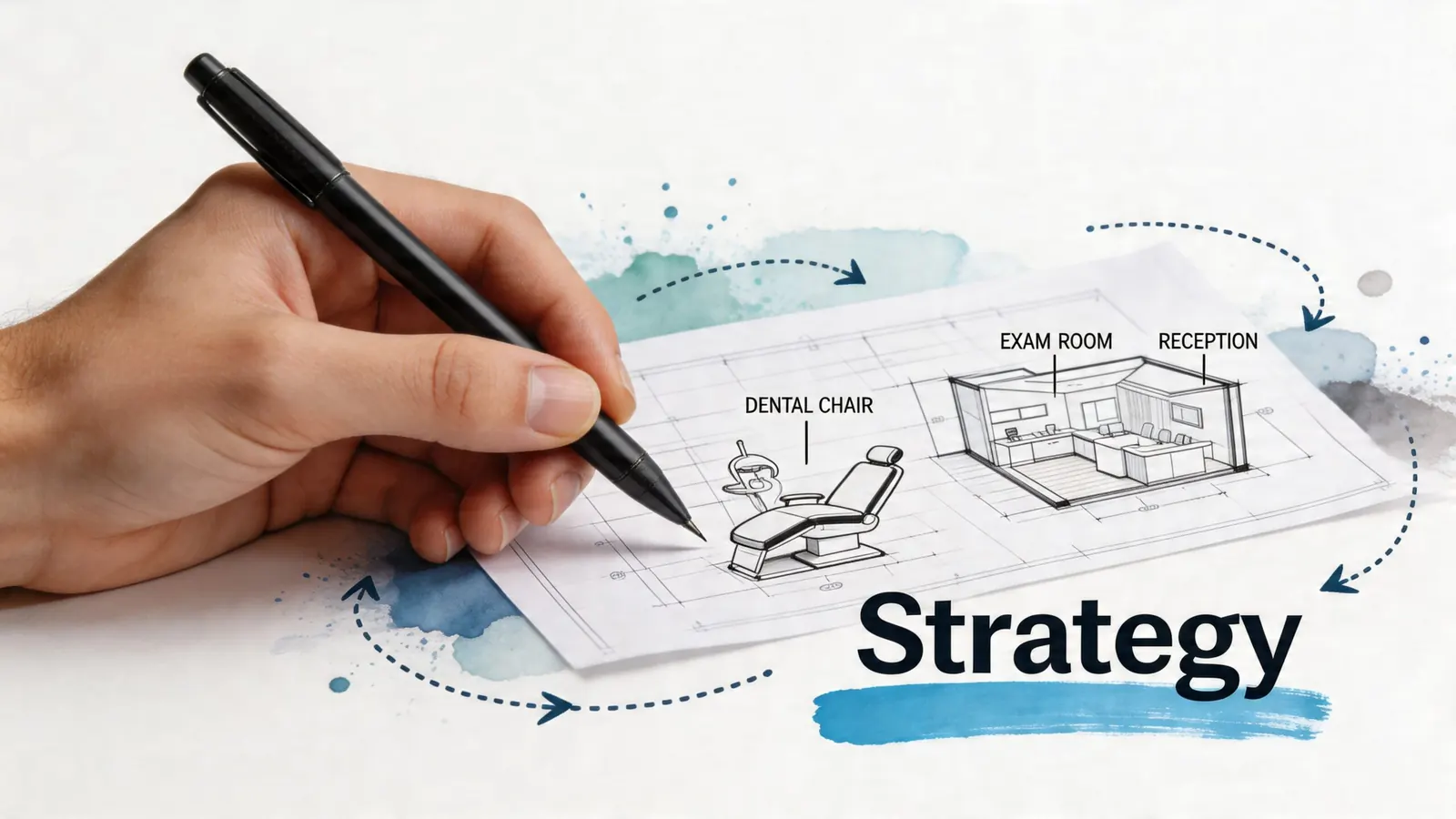
Jumping straight to colors, fonts, and homepage mockups usually creates a prettier version of the same problem. Orthodontic web design starts earlier. It starts with the decisions that shape how the practice should be perceived, who the site should speak to, and what actions matter most.
Start with identity, not layout
Before anyone opens Figma, asks about hero videos, or debates whether the site should feel modern or family-friendly, answer a more useful set of questions:
- What do patients consistently say about the practice? Warm, efficient, high-tech, calm, thorough, community-focused.
- What do you want to be known for? Early treatment, teen braces, adult aligners, airway-focused conversations, flexible scheduling, exceptional communication.
- What should someone feel after visiting the homepage? Relief, confidence, clarity, urgency to book, or reassurance that this is the right fit.
Those answers should guide the visual and verbal system. If your practice is known for a polished, efficient experience, the website should feel organized and direct. If your reputation is built on warmth and family trust, the language and photography should reflect that instead of borrowing a generic med-tech look.
For practices working through this stage, a strong brand strategy resource for healthcare businesses can help clarify voice, positioning, and differentiation before design decisions lock in.
A website rarely feels "off" because of the colors alone. It feels off when the design and the practice don't sound like the same business.
Define the patients you want to serve
Orthodontic sites often fail because they try to speak to everyone with the same message. Parents and teens don't arrive with the same priorities. Adult patients don't scan the page the same way a parent of a child does.
Parents usually want fast clarity. They look for services, trust signals, financing cues, location details, office credibility, and a straightforward next step. Teens respond more to visual confidence, social proof, before-and-after presentation, and whether the brand feels current rather than stale.
That doesn't mean building separate websites. It means structuring content so each audience sees themselves quickly. A treatment page can still serve multiple readers, but it should do so intentionally. The opening should explain the treatment in plain language. The body can handle candidacy, what to expect, and common concerns. The call to action should feel low friction.
If you want a clear example of how a strategic process shapes a better end result, this guide for UK business website development is useful because it frames design as a sequence of business decisions rather than a visual exercise.
Build a brief your team can actually use
A good website brief shouldn't be long for the sake of being thorough. It should be usable. One page is often enough if it includes the essentials.
| Decision area | What to define |
|---|---|
| Brand position | What makes the practice distinct in the local market |
| Primary audiences | Parents, teens, adults, or a mix with clear priorities |
| Core services | Which treatments deserve main navigation placement |
| Trust signals | Reviews, doctor story, technology, office photos, community ties |
| Primary conversion action | Consultation request, call, text, or online scheduling |
| Content tone | Clinical and authoritative, warm and welcoming, or balanced |
The best briefs also include what not to do. Don't mimic the local competitor with the flashiest homepage. Don't overload the menu. Don't use stock-heavy imagery if your office experience is one of your strengths. Don't write treatment content like a textbook when patients need clear reassurance.
That groundwork saves time later. More importantly, it leads to a website that feels like your practice instead of a template wearing your logo.
Building the Patient-First Experience
The clearest way to improve an orthodontic website is to remove uncertainty from the patient journey. People don't visit your site because they want to admire design decisions. They visit because they need answers, reassurance, and a simple next step.
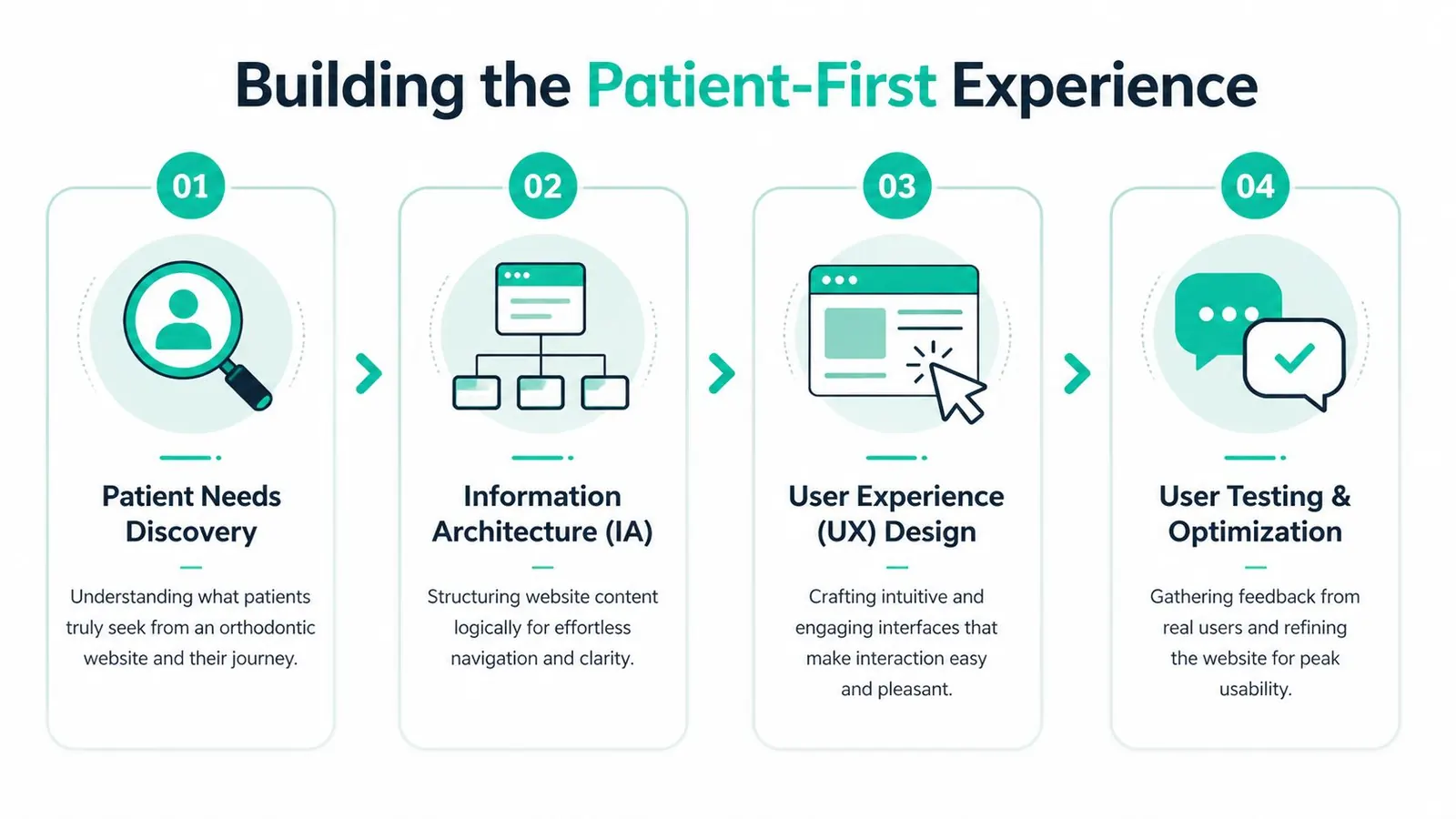
A patient-first structure does three things well. It helps visitors understand where to go, what you offer, and how to act. Everything else is secondary.
For many practices, that means resisting the urge to make the site clever. Clear wins. Familiar labels win. Predictable paths win. If someone lands on the site from search, they should know within seconds whether you're in the right location, whether you offer the treatment they need, and how to contact the office.
Navigation should answer questions fast
The strongest navigation systems are usually the least flashy. They use labels people already understand and keep the top-level choices limited.
A practical sitemap often includes:
- Home for positioning, trust, and immediate calls to action
- About for the doctor story, team, and office philosophy
- Treatments for braces, aligners, early treatment, and adult orthodontics
- Patient information for forms, insurance or financing notes, and first-visit expectations
- Contact for address, hours, map, phone, and scheduling options
If a service matters to growth, it shouldn't be buried. If a page answers a common pre-consultation question, it should be reachable in one or two taps.
For practices refining page structure and visual flow, a strong web design reference for healthcare and local brands can help frame how layout choices support clarity rather than decoration.
Design for parents and teens differently
Many orthodontic sites flatten the experience too much. The same page can serve both audiences, but the ordering matters.
For a parent, the page should quickly establish trust:
- who provides care
- what the treatment is
- who it's for
- what the first step looks like
For a teen or image-conscious adult, the same page should also feel current. That usually comes through in cleaner visuals, concise copy, before-and-after presentation, and a design system that doesn't feel stuck in another decade.
Keep it simple. Make it easy for the patient to schedule and make it clear what your services are.
That advice sounds basic because it is basic. It also solves more conversion problems than most advanced features.
Mobile first means friction first
A lot of orthodontic browsing happens on phones. Remedo notes that over 60% of web traffic to orthodontic websites comes from mobile devices, and that well-structured mobile-friendly layouts can increase time on site by up to 30%. If the site only looks good on desktop, it's already underperforming.
Mobile-first design is less about shrinking a desktop layout and more about prioritizing what matters on a small screen:
- Put the main call to action high on the page. A visitor shouldn't scroll forever to schedule.
- Keep buttons thumb-friendly. Tiny tap targets create drop-off.
- Shorten copy where scanning matters most. Long blocks on mobile get skipped.
- Use collapsible sections carefully. They're helpful for FAQs, but they shouldn't hide critical conversion content.
- Make contact options obvious. Click-to-call, map access, and simple forms matter more than animation.
The practices that get this right usually aren't adding more elements. They're removing distractions. Good orthodontic web design feels smooth because each page has one job, and it does that job cleanly.
Content and Visuals That Connect and Convert
A site can have good structure and still fail to persuade. That usually happens when the content is vague, overly clinical, or built around what the practice wants to say instead of what the patient needs to understand.
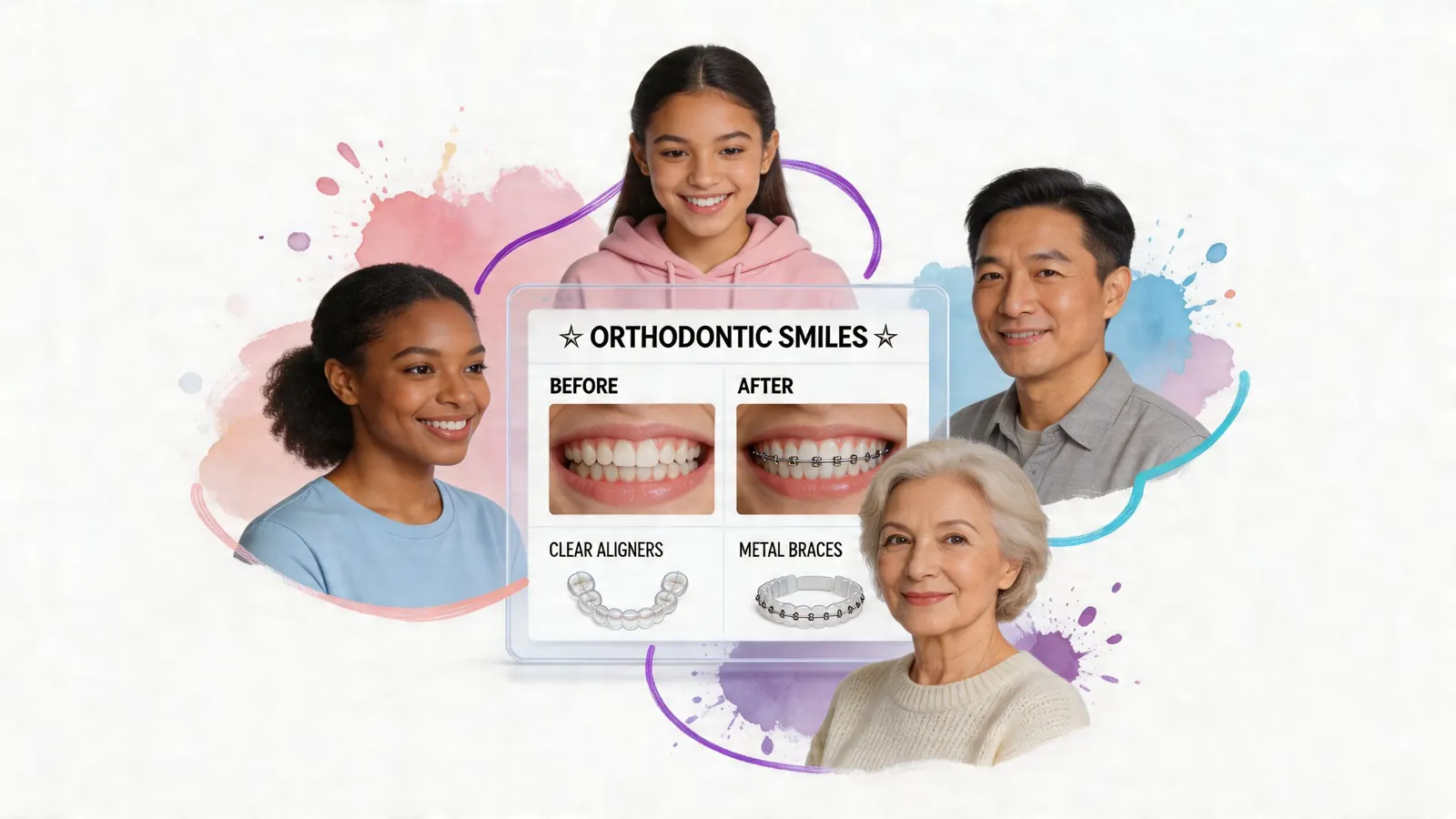
The best-performing orthodontic websites explain treatment options in a way that lowers anxiety and makes action feel manageable. They don't talk down to patients. They also don't bury simple answers under marketing language.
Show treatment options with clarity
When someone lands on a braces page or an aligners page, they usually want a quick read on fit. Is this for me or my child. What does it help with. What's the process. What happens next.
Pages convert better when they answer those questions in a clear order. A useful treatment page often includes:
- A simple opening explanation that avoids jargon
- Who the treatment is best suited for
- Common reasons patients choose it
- What the appointment process looks like
- A short FAQ section
- A direct scheduling prompt
"Beautiful aesthetics and easy to understand content" are critical. If the visuals are polished but the text is vague, patients hesitate. If the text is helpful but the page feels cluttered or old, trust drops. Both pieces have to work together.
A comparison format often helps. Not every patient needs a full clinical breakdown. Many just need help understanding the difference between treatment paths in plain English.
| Treatment page element | What works | What doesn't |
|---|---|---|
| Intro copy | Plain-language explanation | Dense technical opening |
| Comparisons | Easy side-by-side distinctions | Paragraphs with no scannability |
| FAQs | Questions patients actually ask | Generic filler questions |
| CTA | Clear next step near decision points | One button buried at the bottom |
Use visuals that feel real
Photography does heavy trust-building work on an orthodontic site. Real team photos, real office images, and genuine patient-centered visuals usually outperform generic stock imagery because they help visitors picture the experience before they arrive.
That doesn't mean every image needs to be elaborate. It means the visuals should answer trust questions:
- Does this office feel welcoming?
- Does the environment look clean and current?
- Do the doctor and team appear approachable?
- Does the brand feel aligned with the level of care being promised?
Color palette matters too, but not in a trend-chasing way. The best choice is usually the one that fits the existing brand and feels coherent across signage, print materials, the office environment, and the website. If your brand is blue, use blue well. Consistency does more for trust than novelty.
Patients don't need a website that looks expensive. They need one that feels trustworthy, current, and easy to understand.
Calls to action should feel easy, not pushy
A surprising number of orthodontic sites make booking harder than it needs to be. They ask for too much information, bury the form, or use generic button labels that don't tell the visitor what happens next.
Strong calls to action are specific. "Schedule Your Free Consultation" is clearer than "Submit." "Book an Orthodontic Visit" is stronger than "Learn More" if the user is already ready to act.
Forms should stay simple. Ask only for what the team needs to begin the conversation. A long intake form belongs later in the process, not at the moment of first interest.
A few practical content decisions usually help:
- Repeat the primary CTA in the header, on service pages, and near FAQs.
- Set expectations around what happens after submission.
- Pair CTAs with reassurance such as treatment guidance, office friendliness, or next-step clarity.
- Match CTA language to page intent. A homepage can invite consultation. A treatment page can invite a conversation about that treatment.
Good content doesn't pressure people. It removes doubt. That's what moves a visitor from browsing to booking.
Ensuring Discoverability with SEO and Performance
Even a strong website won't grow the practice if local families can't find it. Orthodontic web design has to support discoverability from the start. That means local SEO, useful page structure, and technical performance all working together.
Local search starts with the basics
Most orthodontic practices don't need exotic SEO tactics first. They need the fundamentals done consistently.
Start with the assets patients already use to evaluate you:
- Google Business Profile with accurate categories, services, hours, and photos
- Consistent name, address, and phone details across directories and practice listings
- Review generation that reflects actual patient experience
- Location-relevant page copy that speaks naturally to the area you serve
If you want a practical companion resource focused on local visibility for this niche, this guide on how to improve orthodontic practice visibility is worth reviewing.
Local SEO works best when it reflects reality. If your site says one thing, your profile says another, and directory listings are inconsistent, patients and search engines both get mixed signals.
On-page SEO should support the page purpose
The easiest mistake is writing pages for keywords instead of for people. That usually creates stiff copy, repeated phrases, and weak conversion flow.
Better on-page SEO is more disciplined:
- page titles that describe the service or location clearly
- headings that match patient questions
- treatment pages that explain the service in natural language
- internal linking that helps users move logically between related pages
A braces page should sound like it was written for someone considering braces, not for a ranking formula. The same goes for Invisalign, early orthodontic treatment, and adult care pages. Relevance and clarity usually reinforce each other.
For practices trying to tighten this part of the stack, a focused local SEO service overview for healthcare businesses can help frame the connection between visibility and conversion.
Speed is part of conversion
Performance problems undermine everything else. Sturgill Orthodontics reports that 53% of patients will abandon an orthodontic website that takes longer than 3 seconds to load. That's why page speed isn't just a technical concern. It's a patient acquisition concern.
The practical fixes are usually straightforward:
- Compress images so large photos don't drag down page load
- Limit heavy scripts and unnecessary plugins that slow rendering
- Use reliable hosting that can support traffic without lag
- Enable browser caching so repeat visits are faster
- Use a CDN when appropriate for asset delivery
- Trim excess code in CSS, JavaScript, and HTML
A slow website doesn't just frustrate visitors. It interrupts the moment they were most ready to reach out.
Many redesigns' ultimate effectiveness is determined by their foundational performance. A visually improved site that still loads slowly will often underperform a simpler one that gets people to the information and contact options quickly. Performance should be part of the build, not a cleanup task after launch.
The Living Website Launch Accessibility and Evolution
A website launch often gets treated like a finish line. Files are approved, pages go live, and attention shifts back to daily operations. That's a mistake. The launch is the point where the website starts producing real feedback from real patients.
The first weeks after launch usually reveal what looked good in planning but needs tightening in practice. Maybe users skip a homepage section you thought was important. Maybe calls come in asking for details that aren't visible enough. Maybe the consultation form works, but the follow-up process needs refinement. Those are normal adjustments. A good website should evolve.
Launch is a handoff, not an ending
A useful launch process includes technical checks and communication checks. Both matter.
| Phase | Task | Status |
|---|---|---|
| Pre-Launch | Confirm every page has a clear purpose and call to action | Pending |
| Pre-Launch | Test forms, click-to-call buttons, and scheduling links | Pending |
| Pre-Launch | Review mobile layouts on current phones and tablets | Pending |
| Pre-Launch | Check page titles, headings, and local business details | Pending |
| Post-Launch | Monitor call volume and form submissions for quality | Pending |
| Post-Launch | Watch user behavior on key pages and refine weak spots | Pending |
| Post-Launch | Update photos, testimonials, and service copy as needed | Pending |
| Post-Launch | Review accessibility and performance on an ongoing basis | Pending |
The smartest teams assign ownership here. Someone should know who reviews forms, who checks analytics, who updates content, and who catches issues before they become patient experience problems.
Accessibility belongs in the build, not as an afterthought
Accessibility is often discussed too late, if it's discussed at all. That's risky and short-sighted. UserWay notes that over 4,000 ADA-related web accessibility lawsuits were filed in 2024, with healthcare sites being frequent targets.
The legal angle matters, but the stronger reason is simpler. An orthodontic website should be usable by the people in the community it serves. That includes visitors using screen readers, keyboard navigation, higher contrast settings, or clearer content structures.
Practical accessibility work includes:
- Alt text for meaningful images
- Logical heading order
- Strong color contrast
- Keyboard-friendly navigation
- Clear labels on forms
- Readable explanations of treatment information
An accessible website signals that the practice cares about being understood, not just being seen.
That's good patient experience. It's also good brand behavior.
Track what patients actually do
Once the site is live, the most useful metrics are usually the simplest. Are patients calling. Are they submitting forms. Which pages lead to contact. Which pages lose people. Which treatment content gets attention but doesn't convert.
That review doesn't need to become complicated. It just needs consistency. If the site is part of growth, then it needs regular decisions based on how patients are using it. Small updates made monthly or quarterly often outperform the old habit of waiting years for another redesign.
The best orthodontic websites stay current because someone keeps listening to them.
If your practice needs a website that builds trust, reflects who you are, and helps turn patient interest into booked appointments, Leaping Lemur Media is built for that kind of partnership. They help practices clarify their story, strengthen their positioning, and create marketing that feels aligned with the care they provide.