SMS for Healthcare: A Practical Implementation Guide
Your front desk probably doesn't have a messaging problem. It has a workflow problem that shows up in messaging. Phones ring while patients stand at check-in. Someone leaves a voicemail to confirm tomorrow's visit, then another staff member calls the same patient an hour later because the schedule hasn't updated yet. A patient misses pre-op […]
LElemurJune 16, 202618 min read
In this piece
Your front desk probably doesn't have a messaging problem. It has a workflow problem that shows up in messaging.
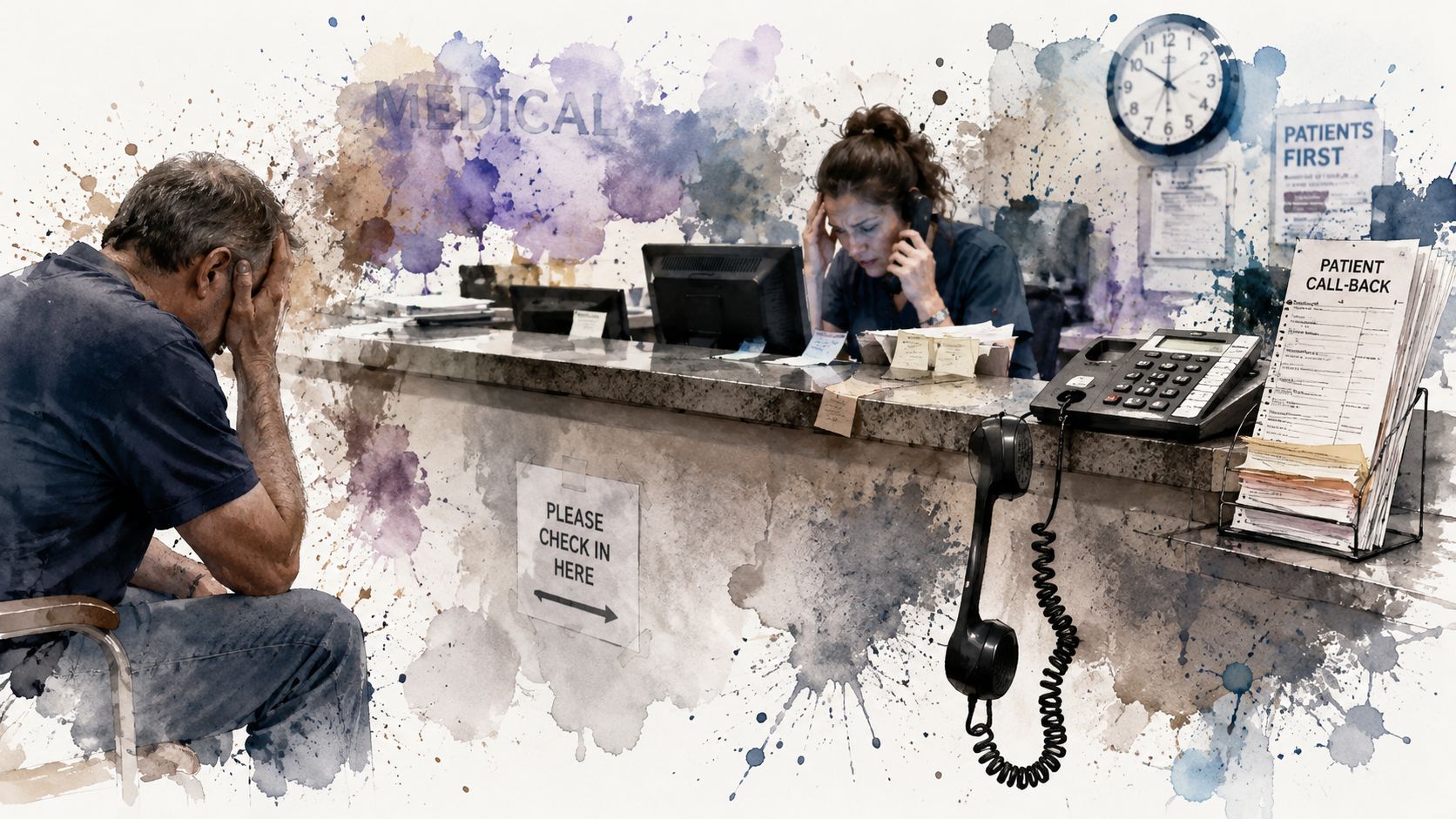
Phones ring while patients stand at check-in. Someone leaves a voicemail to confirm tomorrow's visit, then another staff member calls the same patient an hour later because the schedule hasn't updated yet. A patient misses pre-op instructions because they never logged into the portal. Another wants to reschedule, but nobody sees the portal message until the next morning. That's how small communication gaps turn into empty chair time, frustrated staff, and patients who feel like your practice is harder to reach than it should be.
SMS for healthcare works because it simplifies that mess. It reaches patients on a device they already use, removes extra steps, and gives your team a faster path to confirmation, follow-up, and next actions. The win isn't just "using texting." It's building a system that's compliant, connected to your workflow, and useful enough that patients want to engage with it.
A busy practice usually reaches the same conclusion the hard way. Calling every patient doesn't scale, voicemail rarely moves people to act, and portal-only communication leaves too many messages unread.
That's why SMS for healthcare has become such a practical channel. It fits into the way patients already communicate, and it gives the front desk a faster route to simple actions like confirm, cancel, reply, or call back.
In healthcare and social assistance, SMS campaigns produced an average response rate of 53.09%, an average response time of 90 seconds, and an average conversation length of 8.3 messages, according to TextUs healthcare SMS benchmarks. The same benchmark summary also notes that 98% of text messages are opened and about 90% are read within 3 minutes, which helps explain why so many practices now use texting for reminders, follow-up, and ongoing patient communication.
Why patients respond to texts faster
Patients don't need to download an app, remember a password, or wait on hold. A text lands where they're already paying attention.
That matters most for operational communication. A reminder to confirm an appointment, a prompt to complete forms, or a quick reply path for rescheduling all work better when the patient can act immediately. In practice, the value is speed plus convenience.
Practical rule: Use SMS for actions that should happen now or soon. Keep longer education, detailed records, and sensitive discussion in more secure or more appropriate channels.
Why practices feel the benefit quickly
The first visible improvement is usually staff capacity. Front-desk teams spend less time chasing simple yes-or-no answers and more time handling the conversations that require a person.
The second improvement is patient experience. People don't feel ignored when they can respond in seconds. They don't have to stop work to answer a call from an unknown number. And your team stops relying on a communication method patients increasingly sidestep.
SMS isn't a silver bullet. It won't fix broken scheduling, poor intake, or inconsistent follow-up on its own. But when a practice uses it deliberately, it becomes one of the fastest ways to reduce friction in the patient journey.
Navigating HIPAA and Consent for Text Messaging
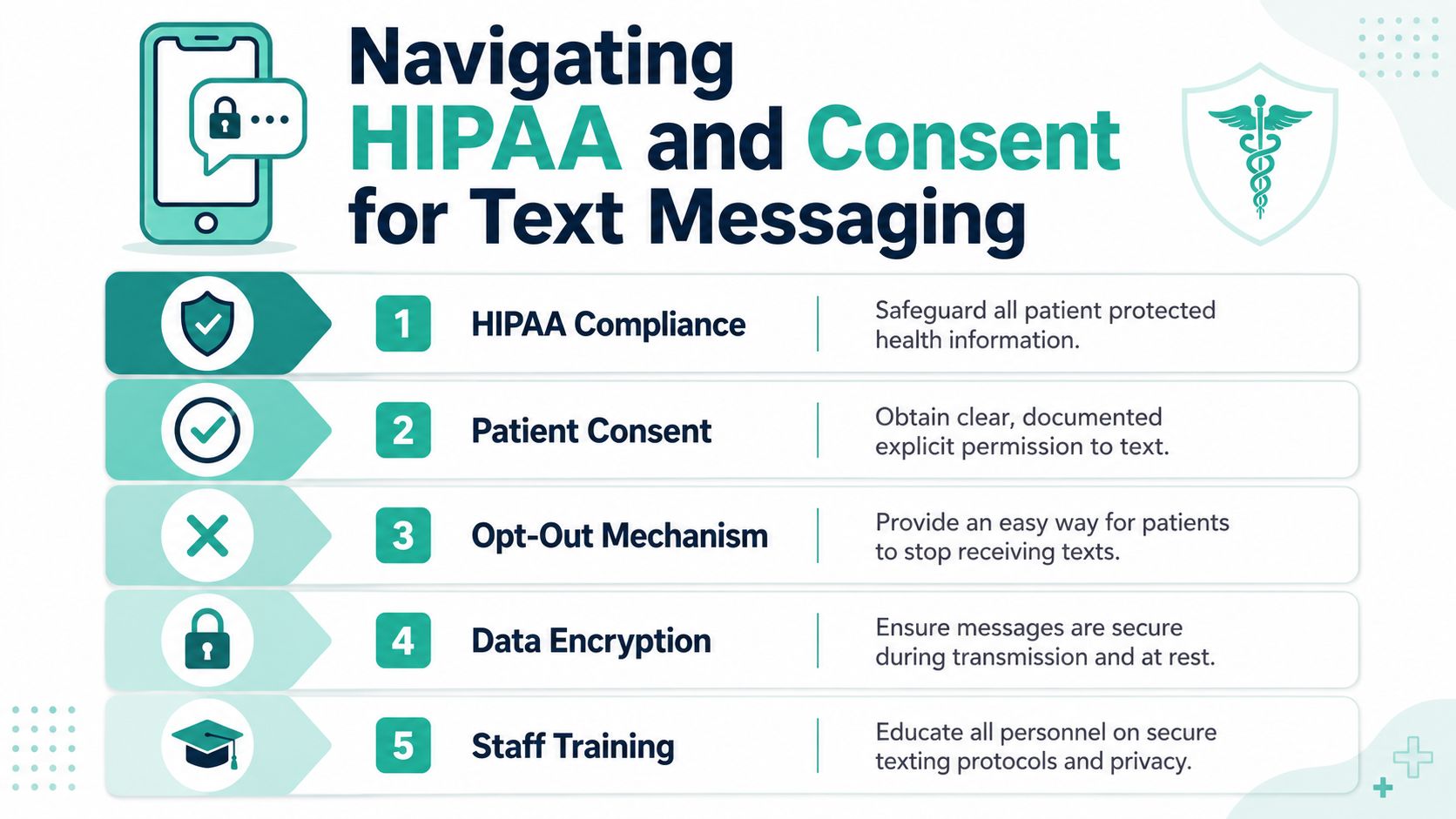
A lot of practices stall here because compliance feels technical and risky. It's simpler than it seems when you break it into two decisions. First, what are you texting about? Second, has the patient clearly agreed to receive those messages?
The safest mindset is this: don't treat texting as an informal side channel. Treat it like an official communication workflow with rules, documentation, and staff ownership.
Start with permission, not software
Before your team sends a single reminder, build consent into intake and online forms. Patients should know what kinds of texts they may receive, how often messages may arrive, and how to stop them.
Research on medically underserved African-American diabetes patients found that people preferred texts that were customized, practical, actionable, encouraging, and sent from their doctor, and many wanted control over message type, content, and frequency, according to this patient-preference study on healthcare text messaging. That's not just a messaging insight. It's a compliance insight. Consent works better when it matches what patients want, which is control and clarity.
A solid consent process should cover:
Message purpose: Explain whether texts include appointment reminders, scheduling messages, refill prompts, or general updates.
Participation: Make it clear that opting in is voluntary.
Frequency expectations: Give patients a realistic idea of how often they may hear from you.
Opt-out instructions: Tell them exactly how to stop messages.
Documentation: Store the opt-in record where your staff can easily verify it.
Keep consent practical and documented
The most effective practices don't bury this in fine print. They ask for consent in plain language during registration, in digital intake, and on website forms where patients request appointments.
Here's the standard I recommend: if a staff member can't quickly confirm that a patient opted in, the message shouldn't go out. That prevents the all-too-common situation where one office location assumes consent exists because another location collected it differently.
A simple internal checklist helps:
Capture the mobile number accurately
Record when and how consent was given
Note what categories of messages the patient accepted
Make opt-out status visible to scheduling and front-desk staff
Review templates before they're activated
Compliance gets easier when your process is boring. Boring means repeatable, documented, and not dependent on one employee remembering the rules.
Treat compliance like part of patient experience
Patients don't separate privacy from service. If your texts feel intrusive, overly frequent, or vague, trust drops fast.
That's why opt-outs matter operationally, not just legally. Let patients stop messages easily. Let them choose useful categories when your platform supports it. Keep message content concise and relevant to the relationship they already have with your practice.
A useful way to think about it is to build a consent ladder:
Stage
What the patient should understand
Intake
Your practice may text about care-related communication
Opt-in
They are explicitly agreeing to receive those messages
First message
They can recognize who you are and why you're texting
Ongoing use
They can control frequency or stop messages if needed
Practices that get this right don't sound more legalistic. They sound more trustworthy. That's a better foundation for any SMS program than speed alone.
Key SMS Use Cases to Transform Your Practice
A patient remembers the appointment only after your office has already marked them late. Another arrives on time but has not filled out forms, did not bring the medication list, and needs to reschedule because they missed a prep instruction. Those are not communication problems in the abstract. They are workflow failures, and SMS can fix them if you apply it to specific points in the patient journey.
The practices that get results usually start small and build in order. They choose one operational bottleneck, connect texting to the system that already runs that workflow, and measure whether staff time, attendance, or follow-through improves. That approach keeps SMS tied to real outcomes instead of turning it into one more disconnected outreach channel.
Appointment reminders and confirmations
Appointment reminders are still the best first use case for many practices because the operational value is immediate. A reminder text can reduce avoidable no-shows, fill cancellations faster, and cut the number of outbound calls your front desk has to make.
The message itself matters. A useful reminder gives the patient a clear action: confirm, cancel, or ask for help. That turns SMS into part of scheduling operations, not just a notification your staff hopes the patient sees.
Timing matters too. A sequence often works better than a single reminder, especially for specialties with longer lead times. For example, a practice might send one reminder several days ahead, then a short confirmation text the day before. The right cadence depends on visit type, patient population, and how hard the slot is to refill.
Pre-visit instructions and paperwork nudges
Preparation texts are often overlooked, but they can have a bigger effect on daily flow than reminders alone. If a patient arrives without fasting, without forms, or without the documents your team needs, the schedule slows down for everyone.
This use case is especially useful in dental, eye care, medspa, imaging, and specialty settings where readiness affects treatment, room turnover, or provider time.
Useful examples include:
Dental procedures: a reminder about eating restrictions, arrival time, or whether the patient needs a driver
Eye care visits: a prompt to bring current glasses, medication lists, or insurance information
Medspa appointments: a short note about skincare restrictions before treatment
Specialty visits: a nudge to complete intake forms, upload records, or bring outside imaging
These messages work best when they are short, timed to the task, and written around one patient action. Long instruction blocks tend to get ignored. A link to a secure form or patient handout usually performs better than trying to fit every detail into the text itself.
Post-visit follow-up and refill support
After the visit, SMS can support the next action that often determines whether care plans stay on track. That may be a refill reminder, a follow-up check-in, a prompt to book the next appointment, or a simple message asking whether the patient needs help after treatment.
The trade-off is straightforward. Post-visit texting can improve continuity and reduce phone tag, but only if the workflow behind it is clear. If replies sit in an unattended inbox or staff do not know who owns the response, the practice creates risk and frustration instead of better service.
Structured messages perform better than broad education blasts. A refill reminder should point to the refill process. A post-procedure check-in should tell the patient what to do if symptoms worsen. A follow-up recall should make scheduling easy.
If you want texts to change behavior, tie each message to one action. Confirm the visit. Complete the form. Request the refill. Reply if you need help.
Patient feedback and simple service recovery
SMS is also a practical channel for collecting feedback while the visit is still fresh. A short post-visit text with a survey link can help you spot issues before they turn into negative reviews, lost patients, or repeated complaints at the front desk.
For smaller practices, this is often one of the easiest workflows to set up well. Keep the ask brief. Send it soon after the visit. Route low ratings or complaint keywords to a staff member who can follow up quickly.
That last step matters. Feedback collection by itself does not improve the patient experience. A closed-loop process does. If patients mention wait times, confusing directions, billing friction, or rushed handoffs, your team can fix the pattern instead of hearing about it months later in a public review.
Choosing Your HIPAA-Compliant SMS Platform
The platform decision is where good intentions either become a clean workflow or turn into one more disconnected system your staff has to babysit.
A lot of practices buy on the demo. The interface looks simple. The pricing seems manageable. The sales rep promises automation. Then implementation starts, and the team realizes the tool doesn't sync properly with scheduling, can't surface consent cleanly, and requires manual list management for basic reminders. That's where SMS projects stall.
The wrong platform creates more work
A 2024 review notes that major barriers to successful healthcare SMS programs include lack of a dedicated platform, failure to integrate with medical informatics systems, and difficulty managing privacy, security, and user-engagement tradeoffs, as discussed in this JMIR review on scaling SMS programs in healthcare.
That finding matches what happens on the ground. If your messaging system sits outside your EHR or practice management workflow, your staff has to export lists, clean data, suppress opt-outs manually, and monitor replies in yet another inbox. The tool may be functional, but the process becomes fragile.
Here's the simple rule. If texting creates more manual work than phone calls for your team, the setup is wrong.
What to require before you sign anything
Don't evaluate a healthcare SMS platform like a general business texting app. Evaluate it like infrastructure.
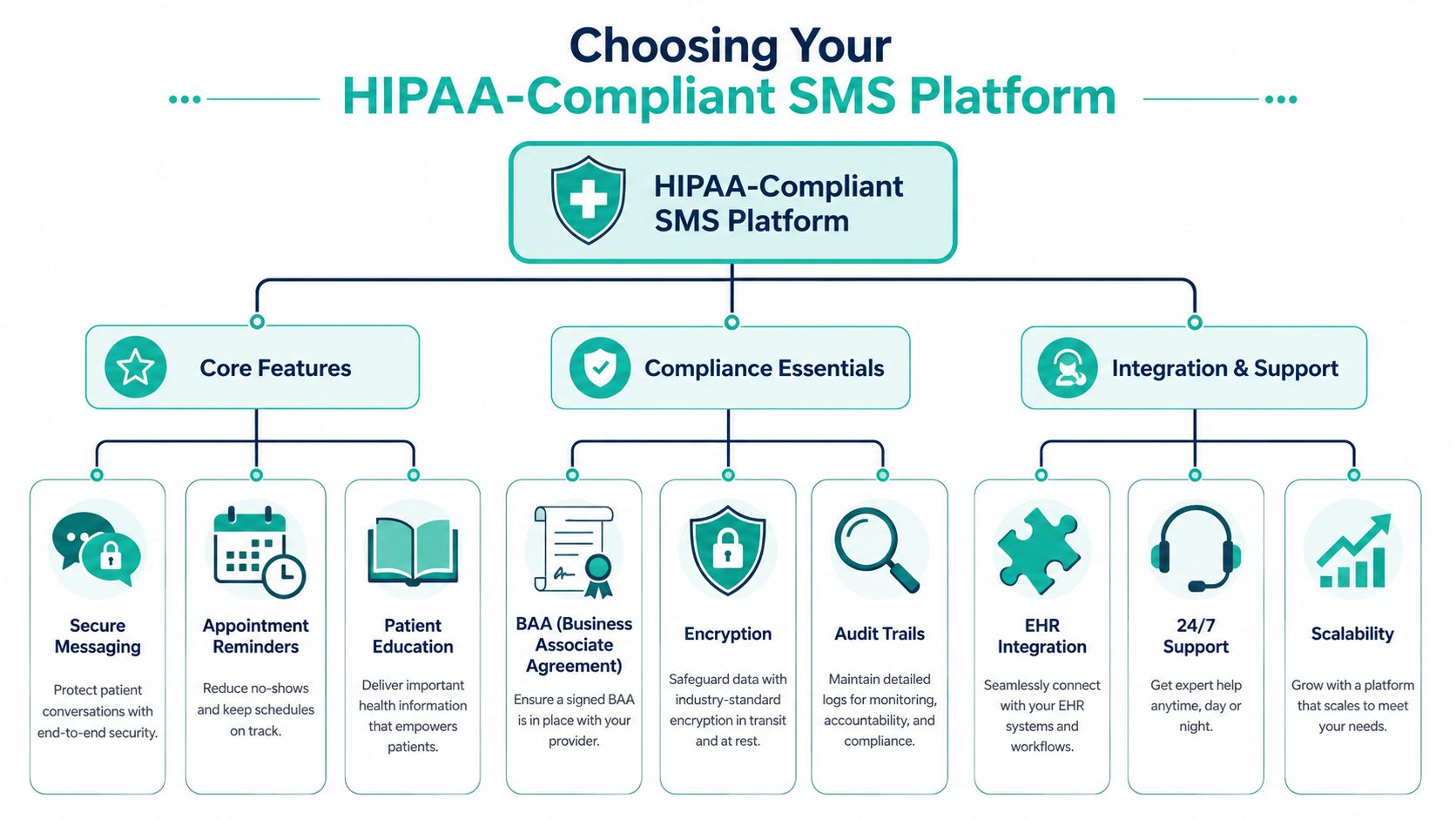
These features are critical:
A signed BAA: If the vendor won't support healthcare compliance contractually, stop there.
Role-based access and audit visibility: You need to know who sent what and when.
Secure handling of message data: Security has to extend beyond the marketing site and into the actual workflow.
Two-way messaging: Patients need a usable reply path, not just one-way reminders.
Template controls: Staff should use approved messages instead of writing freehand every time.
Integration with your EHR or PM system: This is what makes reminders, follow-ups, and consent status manageable at scale.
A short comparison table helps during vendor review:
Lets staff manage confirmations and reschedules quickly
Consent tracking
Prevents accidental messaging without permission
Reporting
Shows whether texts drive attendance and follow-through
Questions worth asking on every demo
Vendors often talk about features in broad terms. Ask workflow questions instead.
Try these:
How does the platform sync appointment status changes?
Where does opt-in and opt-out status live?
Can staff see patient replies without switching systems constantly?
What happens if a patient reschedules after the reminder is queued?
How are templates approved and locked down?
What support do you provide during implementation and training?
The best SMS platform is rarely the one with the most features. It's the one your staff will use correctly on a busy Tuesday.
One more note from experience: choose for fit, not aspiration. A small specialty practice doesn't need the same messaging stack as a health system. But it does need reliability, compliance, and a platform that reduces work instead of redistributing it.
Crafting Patient Messages That Actually Work
Once the platform is in place, message quality becomes the difference between helpful communication and background noise. Most weak healthcare texts fail for one of three reasons. They're too vague, too long, or they don't tell the patient what to do next.
The best-performing messages feel simple because they are simple. They respect the patient's time, sound human, and point to one action.
What good healthcare texts have in common
A 2026 report found that 85% of respondents were more likely to schedule an appointment and 84% were more likely to attend one after receiving a text reminder, and it notes that success depends on concise messages with a clear next step, while two-way communication improves utility, according to Sinch's 2026 patient communication report.
That aligns with what works in practice. Short messages win. Direct messages win. Reply-enabled messages win.
Use this checklist before approving any template:
Identify the practice clearly: Patients should know who is contacting them.
State the reason fast: Don't make them decode the purpose.
Give one next step: Reply C to confirm, call to reschedule, click to complete forms.
Keep the message tight: Save detail for the portal, phone call, or in-person conversation.
Write like a person: Clear, calm, and respectful works better than stiff corporate wording.
Good versus weak message examples
Here's what that looks like in practice.
Weak reminder Your scheduled appointment is approaching. Please be advised that if you cannot attend, contact our office at your earliest convenience.
Better reminder Oakview Dental here. You're scheduled tomorrow at 10:00 AM. Reply C to confirm or R if you need to reschedule.
The second version works because it removes friction. The patient knows who sent it, what it's about, and how to respond.
A few more examples:
Use case
Better message
Forms reminder
Green Valley Eye Care here. Please complete your intake forms before tomorrow's visit using this secure link: [link]. Reply if you need help.
Refill prompt
Harbor Clinic here. It's time to request your refill. Reply CALL if you'd like our team to contact you.
Post-visit check-in
Thanks for visiting Riverbend Medspa. If you have a question about your aftercare instructions, reply to this message and our team will help.
Short doesn't mean cold. Patients respond well to texts that are practical, encouraging, and easy to act on.
Segment by need, not by convenience
Don't send the same message to every patient group. A first-visit patient often needs directions, forms, and reassurance. A long-term patient may only need a quick reminder. A procedure patient may need timed prep instructions. A refill reminder works best when it's tied closely to the behavior you want.
Segmentation earns its keep. Not marketing segmentation. Operational segmentation.
Useful groups include:
New patients: Welcome, forms, parking, arrival timing
Established routine visits: Simple confirm or reschedule prompts
Procedure patients: Preparation and aftercare reminders
Chronic care or refill workflows: Structured adherence and follow-up messaging
Timing matters too. The evidence base is strongest when SMS supports a specific action close to the moment it needs to happen. Good texts arrive with a purpose. Bad ones arrive because the system was set to send “something.”
Measuring SMS Success and Driving Improvement
A practice can send every reminder on time and still get weak results. The failure usually shows up later. Front desk staff are still fielding preventable calls, no-shows stay flat, forms arrive late, and refill follow-through does not improve.
That is why SMS measurement has to follow the workflow from message sent to patient action completed.
Track operational outcomes tied to each workflow
Delivery rate still matters. It helps you catch carrier issues, bad numbers, or sending problems. But it is an early warning metric, not the finish line.
For practice owners, the better question is simple. Did this text reduce staff work or help the patient complete the next step on time?
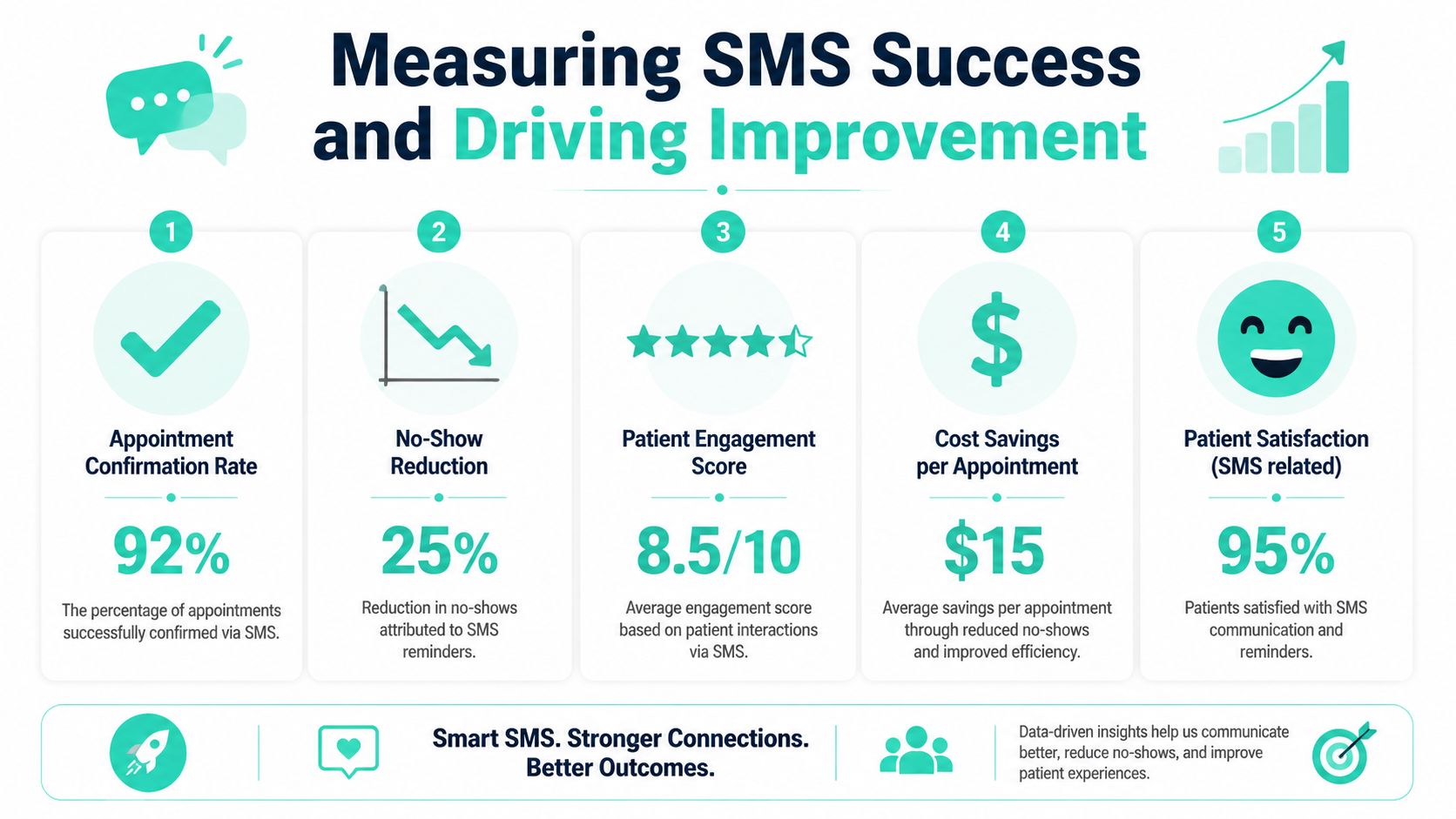
Use a scorecard that matches the job each message is supposed to do:
Confirmation rate: How often patients reply and confirm
No-show trend: Whether attendance improves after reminder workflows go live
Reschedule capture: How often patients flag conflicts before the appointment is lost
Form completion rate: Whether intake paperwork is finished before arrival
Refill or follow-through actions: Whether patients complete the next clinical step after the text
Reply handling time: How quickly staff respond when a patient texts back with a question
Many SMS programs underperform. The platform may be sending messages correctly, but the workflow around it is weak. Replies sit unanswered. Confirmations do not update the schedule. Form links are hard to use on mobile. The result looks like an SMS problem, but the underlying issue is implementation.
Review performance monthly, then adjust one variable at a time
You do not need a large analytics project. You need a simple review routine your team will keep.
At the end of each month, pull three workflows. Appointment reminders, pre-visit forms, and one follow-up sequence are usually enough. Review the patient replies, compare results against the prior month, and look for friction points. If one template creates repeated confusion, fix the wording. If patients respond after hours and no one follows up until midday, adjust staffing expectations or auto-reply language. If a sequence performs well but staff still duplicate the work manually, clean up the integration.
A practical review cycle looks like this:
Check response and completion rates by workflow
Find where patients stop or ask for help
Identify templates that create avoidable staff follow-up
Change timing, wording, or routing
Confirm the change was reflected in the EHR or scheduling process
Retrain staff if reply handling is inconsistent
The best programs usually improve through small operational fixes, not dramatic rewrites.
If you want SMS to keep producing value, treat it like a patient communication system with owners, rules, and review points. Practices that do this well get more than message delivery. They get fewer missed appointments, cleaner front-desk workflows, and a better patient experience.
If your practice wants help turning SMS into a real patient communication system, not just another disconnected tool, Leaping Lemur Media can help you build a strategy that fits your brand, your workflow, and the patients you serve. Their team focuses on marketing that feels intentional, trustworthy, and grounded in how real practices grow.