If you've ever searched for a Facebook custom list and ended up more confused than when you started, you're not alone. The phrase gets used for two very different things, and people often realize that only after they've clicked into the wrong menu, or worse, started building the wrong asset for the wrong job.
One version lives in your personal Facebook account and helps you decide who sees a post, who gets left out, and what shows up in your feed. The other lives in Meta's ad tools and uses customer data to build advertising audiences. Both matter, but they solve different problems, and mixing them up is where most frustration starts.
Table of Contents
- Why Facebook Custom Lists Are More Confusing Than They Should Be
- How to Create a Personal Facebook Custom Friend List
- How to Build a Customer List Custom Audience in Meta Ads Manager
- Preparing Your Customer CSV for Maximum Match Rates
- Turning Your Customer List Into a Lookalike Audience
- Troubleshooting Low Match Rates and Upload Errors
Why Facebook Custom Lists Are More Confusing Than They Should Be
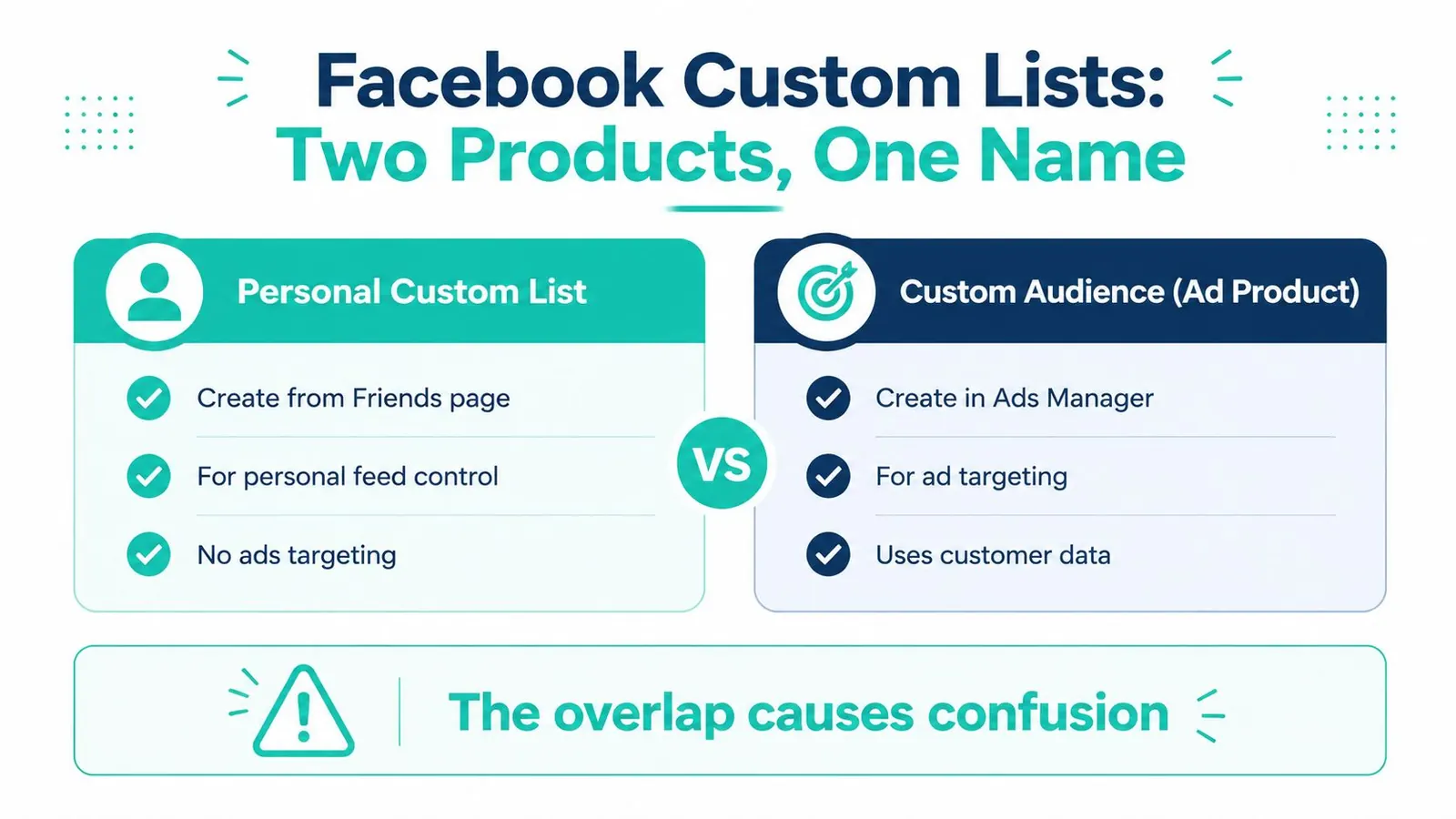
You can click through Facebook, see the phrase custom list, and assume one feature sits behind it. Then one path leads into privacy controls, another leads into Ads Manager, and the result feels like two separate systems wearing the same label.
The two meanings you need to separate
A personal Facebook custom list belongs to your profile experience. It is the friend-list tool people use to decide who sees a post and to narrow what appears in their own feed. Facebook expanded that system on September 13, 2011, when it introduced revamped Friend Lists and Smart Lists for groups such as family, coworkers, classmates, and nearby friends, while still allowing users to build custom lists for privacy and feed control. CBS News coverage of the revamped Friend List feature
A Meta Customer List Custom Audience serves a different purpose. It lives in Ads Manager, not in your personal profile, and it uses customer data you already have so you can target or exclude people in ads. Meta's help documentation separates the friend-list feature from customer list custom audiences, which is why the same phrase causes so much confusion. Meta's help page on custom audiences
Practical rule: If you want to change who sees a post, you want the personal list. If you want to reach people with ads, you want the customer audience.
Why the overlap causes mistakes
The overlap happens because both tools divide people into smaller groups. One organizes your social circle, the other organizes your marketing data. That is enough to send business page managers down the wrong path, especially when they hear the phrase in conversation before they ever see the menu where it lives. For a parallel example of list-based segmentation in a business tool, you can also create targeted lists in Sales Navigator.
The confusion gets worse because the personal version has always done more than one job. It can shape post visibility and your feed, so it feels like a practical audience tool rather than a simple privacy toggle. Marketing tools also rely on audience segmentation, so the phrase custom list ended up doing too much work in two different places. An infographic comparing Facebook Personal Custom Lists and Custom Audiences to clarify their distinct functions and terminology.
If you want a cleaner way to keep your own notes straight while sorting out similar platform terms, Leaping Lemur Media journal updates can help you track the language people use and the context behind it.
How to Create a Personal Facebook Custom Friend List
A personal Facebook custom list is the one people usually mean when they want to control who sees a post or organize friends into smaller groups. It lives on your profile side of Facebook, so you can set it up without opening Ads Manager. If you're trying to keep the personal feature separate from the marketing one, that distinction should stay clear from the start.
Build the list from your Friends page
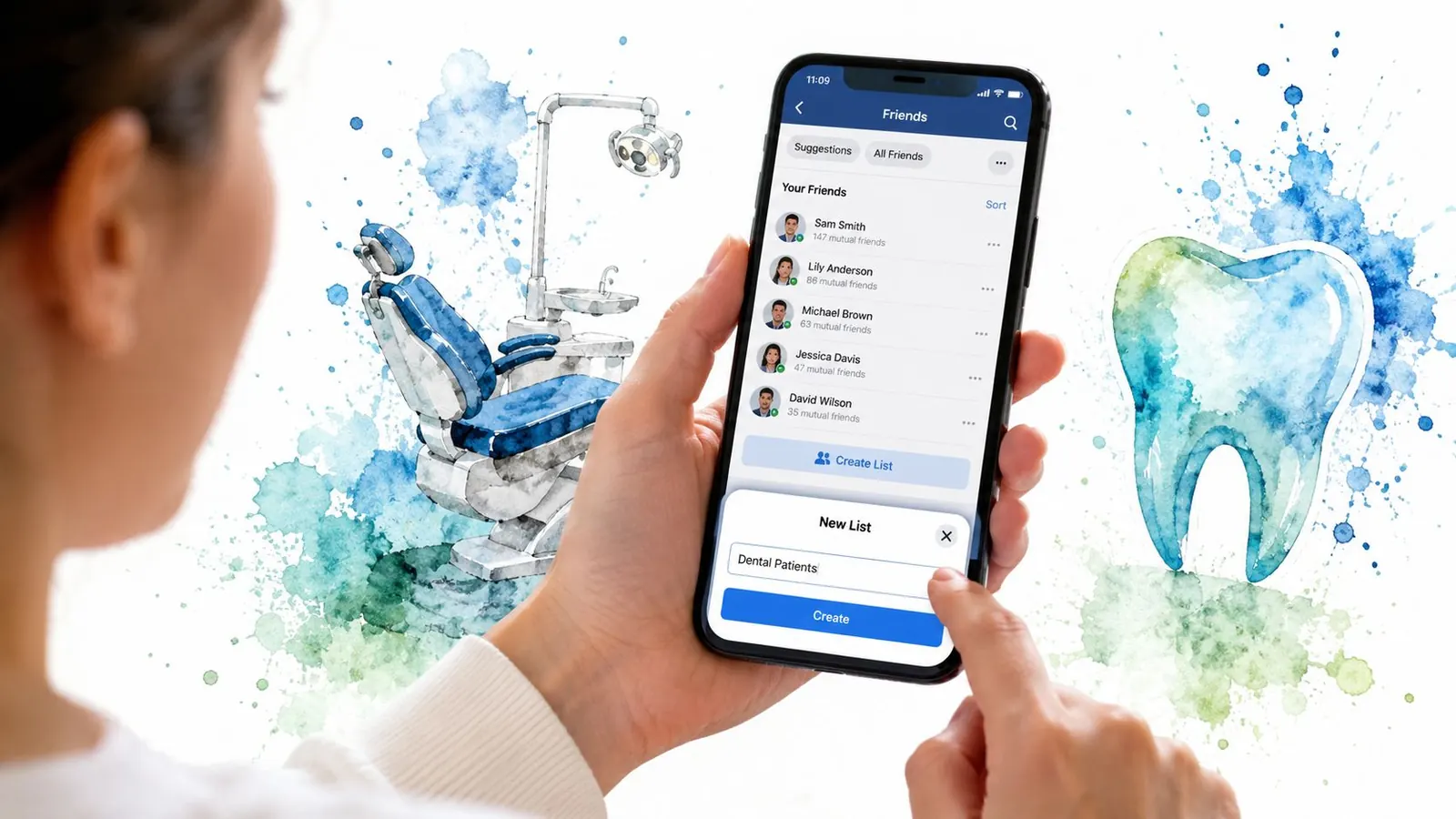
Start on the Friends page inside Facebook. Create a new list, give it a name that matches how you think about the people in it, and add the friends who belong there. The workflow is straightforward: create the list, name it, add friends, then choose that list from the audience selector when you post. A consumer privacy guide walks through the same basic setup for personal friend lists, which is why this feature is easier to use once you see it as a sorting tool instead of a privacy mystery. Techlicious guide to Facebook custom lists
A dental office manager can make the use case obvious quickly. One list might be Current Patients, another Former Patients, a third Referring Doctors, and a fourth Community Partners. Those groups do not need the same updates, and they do not need the same visibility settings either.
Useful habit: Name lists by relationship, not by platform jargon. “Family,” “Work,” and “Local Partners” are easier to use than vague labels you'll forget later.
Use the list to control visibility and your feed
Once the list exists, you can narrow the audience for a post to just that group. You can also use it more broadly to limit access to posts you share and to posts you're tagged in. That is the practical value of the feature. It gives you a simple way to separate parts of your life without blocking people or stopping your posting habits altogether.
The older guidance around Facebook friend lists also shows why the feature felt unusually flexible for a social app. People could organize friends into many separate groups, with plenty of room for detailed segmentation. That scale matters because it shows the feature's real purpose, granular audience management. It was never meant to be a blunt on-off privacy switch. It was built to help you sort a growing friend graph into social circles that make sense.
If you want another example of structured list-making outside Facebook, the logic behind create targeted lists in Sales Navigator is familiar. You are still separating contacts by purpose so the right message reaches the right group.
For teams building their own content strategy, the same idea shows up in how agencies organize audience segments and messaging workflows. One overview in the journal shows how planning around audience context keeps communication cleaner.
How to Build a Customer List Custom Audience in Meta Ads Manager
A customer list custom audience belongs in Ads Manager, where the goal is reach, not social organization. If the personal list helps you separate friends, this version helps Meta find people in your own contact data and show them ads.
Open the audience workflow
Inside Ads Manager, go to Audiences, choose Create Audience, then select Custom Audience, and finally Customer List. That path starts with data you already own, not with Facebook friends or page followers. Meta's help notes also say the file must be a CSV or TXT file with at least 100 customers and at least one main identifier. Meta's customer list requirements
Accepted identifiers include email, phone number, first and last name, date of birth, gender, city, state, country, ZIP or postal code, and app user ID. Meta also recommends using more than one identifier because matching works better when the file gives the system several ways to find the same person. Meta's customer list requirements
A medspa might upload past patient contacts and retarget them with a seasonal promotion. A law firm can use the same setup for past clients, consultation leads, or referral contacts, depending on what it is allowed to use. If your team needs help turning that raw contact data into a working audience plan, our services page is a straightforward place to start.
Rule of thumb: The audience only works if Meta can match your file to real user data. Stronger inputs make that easier.
Keep the use case separate from personal lists
This tool is for building ad audiences. It is not for arranging friends into groups. That distinction causes the most confusion, especially for people who have used Facebook's personal lists before and assume the two workflows do the same job. They do not.
A customer list custom audience is one input in a paid media system. Once it is built, it can support targeting, retargeting, and audience refinement inside a campaign structure. If you want a wider planning reference that shows where audience building fits inside paid media, boost ad revenue with proven tactics is a useful starting point.
The bigger point is simple. Personal lists shape how you share socially, while customer list audiences shape who sees your ads. They may both use the word “custom,” but they live in different parts of Meta's system and solve different problems.
Preparing Your Customer CSV for Maximum Match Rates
A file can look tidy in a spreadsheet and still return weak matches. That usually means the data is thin, inconsistent, or messy in ways that are easy to miss until Meta tries to compare it with real user records.
Clean the file before upload
Start with the column headers, then check that each row follows the same format. Remove duplicate contacts, strip out stray spaces, and standardize how names, phone numbers, and locations appear. Email addresses should be normalized to lowercase before upload, because consistency helps reduce avoidable mismatches.
A dentist's office exporting data from practice management software often needs a quick cleanup pass before the file is useful. One row might have a full state name, another an abbreviation. One email field may contain extra spaces, while another has a typo from years ago. Those small inconsistencies matter because Meta's matching process depends on clean identifiers.
Include more than one identifier
Meta's guidance points in this direction, and the practical reason is clear once you have worked with real customer files. Add email, phone, first name, last name, date of birth, city, state, ZIP, or whatever else you have that is relevant and appropriate. A file with only one weak field gives the platform less to work with. A richer file gives it more possible ways to find a match.
Practical rule: If your file has an email and a phone number, keep both. Don't strip useful data just because one column seems “good enough.”
For teams thinking beyond the upload itself, broader first-party data planning often shapes performance downstream. A useful lens on that topic is data activation strategies for 2026, especially if you are trying to connect customer records to paid media in a more organized way.
The cleanest CSVs are usually the least dramatic ones. They do not rely on extra formatting, they do not make assumptions about field consistency, and they do not leave important identifiers sitting in a separate export that never gets used.
Turning Your Customer List Into a Lookalike Audience
Once your customer list is uploaded, matched, and available in Meta, it can do more than target the people already in the file. It can also help you reach new people who resemble them.
Use the matched list as the seed
A lookalike audience starts with your customer list as the seed. Meta then looks for people who share characteristics with the matched audience and lets you advertise to them. In practice, that means your best customer file can help you find more people who act like your existing customers instead of forcing you to guess from scratch.
When selecting the lookalike size, 1 percent gives you the closest match, while broader percentages expand reach. For smaller practices or tighter budgets, the narrower version usually makes more sense because it keeps the audience closer to the source data.
Match the audience size to the business goal
A local law firm running a geographic campaign, for example, might start with a customer list from past consultations and then build a lookalike audience around that group in the area it serves. That approach keeps targeting tied to real customer patterns while still leaving room to reach new prospects.
For healthcare and small-business advertisers, the right choice depends on the campaign goal. If the priority is efficiency, keep the audience tighter. If the priority is awareness, a broader lookalike can make sense, as long as the creative and offer are strong enough to support it.
Good default: Start narrow, review results, then expand only if the audience is too small for the campaign to spend smoothly.
Meta also documents a separate rule-based audience format for On-Facebook Listings Custom Audiences, where you can include or exclude people and use up to 5 rules per audience. Meta Business Help on On-Facebook Listings Custom Audiences That limit matters because it defines how much segmentation you can stack into one audience build.
The main idea is that a customer list doesn't just identify past buyers. It becomes the raw material for finding similar people, which is often where the long-term value sits.
Troubleshooting Low Match Rates and Upload Errors
The usual problems are plain ones. A file is too thin, too messy, or formatted in a way Meta does not accept.
Low match rates
If the upload completes but only a small share of records match, the usual reason is incomplete or outdated data. Missing identifiers are a common culprit, and inconsistent formatting causes the same problem. Return to the CSV prep steps, then check whether the file includes enough strong fields for Meta to compare against. A customer list works best when the source data gives the matching system multiple ways to recognize the same person.
File rejected or stuck in processing
If the file is rejected, the most likely issues are the wrong file type, too few records, or missing required columns. Meta's customer list requirements cover the basic file standards to check first. If the audience stays in processing longer than expected, the data may be large or messy enough to slow the match. Better formatting usually helps more than waiting and hoping.
What to do when the numbers feel disappointing
Match quality changes by industry and geography, so a file that looks modest in one account can still be useful in another. The goal is not perfect coverage. The goal is enough matched users to build a functional audience and keep the campaign usable.
A 30 to 50 percent match rate is often acceptable rather than a failure. Meta's customer list requirements
If the file still does not behave after cleaning it, return to the source data itself. If you want help sorting out audience setup, ad structure, or list cleanup, use the contact page to talk it through with a team that works on this kind of marketing often.
If you want help turning confusing audience tools into a clear paid media plan, Leaping Lemur Media builds Facebook advertising strategies for practices and local businesses that need better targeting, cleaner setup, and stronger message alignment. Visit Leaping Lemur Media to start a conversation about your customer list, your ad goals, and the audience you want to reach.